


LlamaChat - Chat with your favorite LLaMA Models
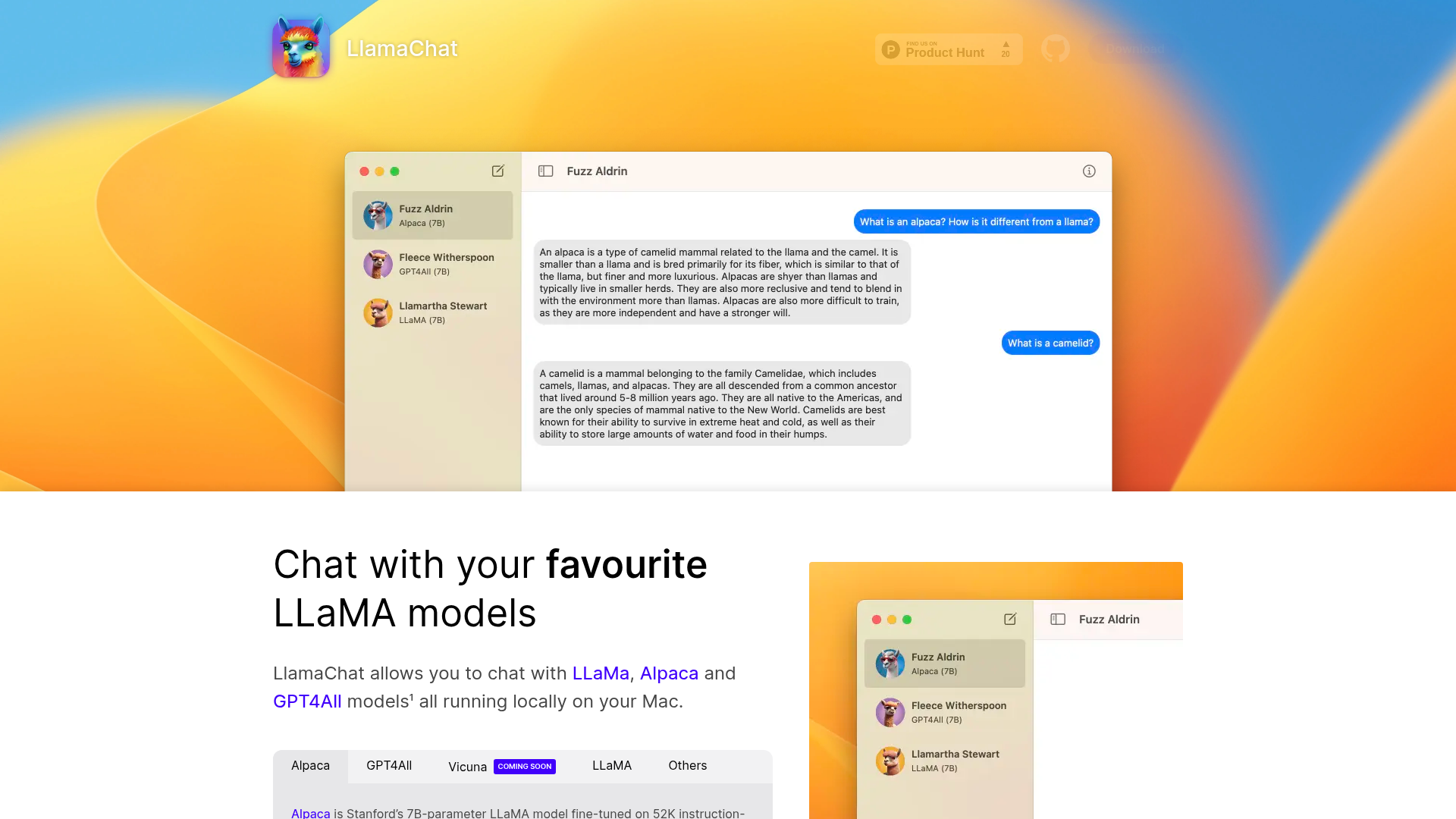
LlamaChat leverages cutting-edge AI technology to provide a platform for chatting with various LLaMA models. It operates by locally processing user input and generating outputs based on sophisticated machine learning models. The architecture allows for rapid model switching, making it easy for users to interact with different AI personalities. Here’s how it works:
- Local Execution: All models run locally on your Mac, ensuring data privacy and fast response times.
- Model Compatibility: Supports raw PyTorch checkpoints and .ggml files for easy integration.
- Fine-Tuning: Models like Alpaca are fine-tuned for conversational tasks, enhancing user interaction.
- Open-Source Libraries: Built on widely used open-source frameworks, LlamaChat benefits from community collaboration.
- User-Friendly Interface: Simplified design allows effortless navigation and interaction with various models.
- Continuous Updates: Regular updates and improvements driven by user feedback and community contributions.
Using LlamaChat is simple and intuitive. Here’s how to get started with it:
-
Download LlamaChat: Click the 'Download for Mac' button on the official website or use Homebrew with the command
$ brew install --cask llamachat. -
Install the Application: Follow the on-screen instructions to install LlamaChat on your macOS system.
-
Launch LlamaChat: Open the application from your applications folder or spotlight search.
-
Select a Model: Choose from the available models such as Alpaca, GPT4All, or LLaMA from the interface.
-
Start Chatting: Enter your message in the chat input field and hit send. Interact with the model as you would in a normal conversation.
-
Explore Features: Try out the different features such as importing custom models or switching between them seamlessly.
LlamaChat makes engaging with AI not only easy but also enjoyable for everyone.
LlamaChat offers a unique opportunity to interact with advanced LLaMA models right from your Mac. Combining the power of local machine learning with an open-source philosophy, it stands out as an indispensable tool for developers and AI enthusiasts alike. With its user-friendly interface and continuous community support, LlamaChat is set to redefine AI conversations and simplify the integration of LLaMA models into various use cases.
Features
Local Model Execution
Run powerful AI models locally on your Mac to ensure privacy and performance.
Easy Model Conversion
Import raw PyTorch checkpoints and .ggml files without hassle.
Open-Source
Fully open-source and community-driven, with no paywalls.
Multiple Model Support
Chat with various models including Alpaca and GPT4All, with more coming soon.
User-Friendly Interface
Intuitive design that makes it easy to start chatting with AI.
Cross-Compatibility
Compatible with both Intel and Apple Silicon architectures.
Use Cases
Research and Development
Utilize LlamaChat to test models and refine machine learning algorithms during research.
AI Interaction
Engage in fun and exciting conversations with different AI personalities.
Educational Purposes
Use LlamaChat to teach concepts related to AI and machine learning in a practical way.
Prototyping AI Applications
Quickly prototype and test AI applications using LlamaChat’s local models.
Creative Writing
Collaborate with LLaMA models for brainstorming and generating creative content.
Data Privacy Testing
Test the capabilities of AI models in data-sensitive environments while ensuring data doesn't leave local systems.
FAQs
Traffic(2025-07)
Monthly Traffic
Traffic Source
Top Keywords
| Keyword | Traffic | Volume | CPC |
|---|---|---|---|
| llamachat | 190 | 100 | - |
| llama chat onlinefree | 130 | 130 | - |
| chat.llama | 70 | 80 | - |
| free llama 4 chat bot | 50 | - | |
| free llama chat | 50 | - |
Source Region
Whois
| Domain | llamachat.app |
| Creation Date | 2025-04-10 19:40:19 |
| Last Updated | 2023-06-21 07:35:08 |
| Domain Status | clienttransferprohibited, //icann.org/epp |
| Registrar | Namecheap Inc. |
| Registrar IANA ID | 1068 |
| Registrar URL | https://www.namecheap.com/ |
| Registrant Organization | Privacy service provided by Withheld for Privacy ehf |
| Registrant State | Capital Region |
| Registrant Country | IS |
Featured Products

CrewAI

CoralAI

V0

Dify AI

Firstup

Writer

YesChat AI

HubSpot
Related Categories
Copy embed code
Alternative Products


Fabrile


Toolbit AI


Falcon LLM

Guidemaker

Dev Docs Translation for Apple


Bocca


CustomGpt


AskeyGeek

