


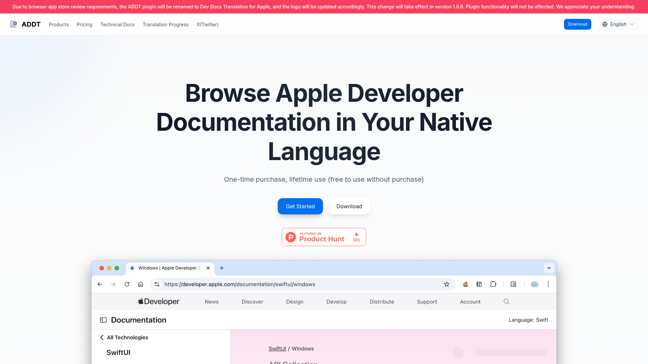
Dev Docs Translation for Apple - Translate Apple dev docs

Product Overview
The Dev Docs Translation for Apple is a browser extension designed to automatically translate Apple developer documentation into your native language. It helps developers overcome language barriers and improve efficiency when working with Apple's technical documentation. The tool supports multiple languages, including Japanese, Chinese, Traditional Chinese, and Korean, with more languages under development.

Features
- Automatic Translation: Translates Apple developer documentation in real-time.
- Multi-language Support: Supports Japanese, Chinese, Traditional Chinese, and Korean.
- Bilingual Display: Compare original and translated text side-by-side.
- Customizable Styles: Adjust font, color, and size to suit your preferences.
- Lifetime Access: One-time purchase for unlimited use.
How It Works
The extension uses a request interception decorator pattern to analyze and translate page content. It leverages AI models like QWen2.5 and Grok-2 for accurate translations, with manual reviews for quality assurance. The plugin does not modify page elements, ensuring a seamless user experience.

Pricing
Choose the plan that fits your needs:
| Plan | Price | Features |
|---|---|---|
| Single Device | $19.9 | Use on one device |
| 2 Devices | $29.9 | Use on two devices, priority support |
| 4 Devices (Team) | $39.9 | Use on four devices, one-on-one support |

Usage Guide
- Install Extension: Download from the Chrome Web Store.
- Activate (Optional): Enter the activation code after purchase.
- Select Language: Choose your target language in the extension settings.
- Start Using: Visit Apple developer docs to see translations.
Advantages and Disadvantages
Advantages
- Efficiency: Saves time by eliminating language barriers.
- Customization: Tailor the display to your preferences.
- Lifetime Access: No recurring fees.
Disadvantages
- Limited Languages: Currently supports only a few languages.
- Manual Review Required: Some translations may need corrections.
Case Studies
Thousands of developers worldwide use this tool to enhance their workflow. For example, a Japanese iOS developer reported a 40% increase in productivity after using the extension.

Support and Services
For assistance, email service@appledocs.dev. Support is available weekdays and weekends.
FAQs
Traffic(2025-07)
Monthly Traffic
Traffic Source
Top Keywords
| Keyword | Traffic | Volume | CPC |
|---|---|---|---|
| apple documentation | 0 | 1150 | 1.75 |
| apple docs | 0 | 900 | - |
| apple dev docs | 0 | 390 | - |
| apple developer documentation | 0 | 360 | 1.67 |
| apple doc | 0 | 270 | - |
Source Region
Whois
| Domain | appledocs.dev |
| Creation Date | 2027-03-04 14:44:24 |
| Last Updated | 2025-03-09 14:44:24 |
| Domain Status | clienttransferprohibited, //icann.org/epp |
| Registrar | CloudFlare, Inc. |
| Registrar IANA ID | 1910 |
| Registrar URL | None |
| Registrant State | Beijing Shi |
| Registrant Country | CN |
Featured Products

Groq

CrewAI

CoralAI

V0

Pinecone

Dify AI

Vapi

Firstup
Related Categories
Copy embed code
Alternative Products


Sopa


Fabrile


DNSRedo


Toolbit AI

Falcon LLM

Guidemaker
Dev Docs Translation for Apple


Bocca

