


Detail - Record and edit reaction videos effortlessly
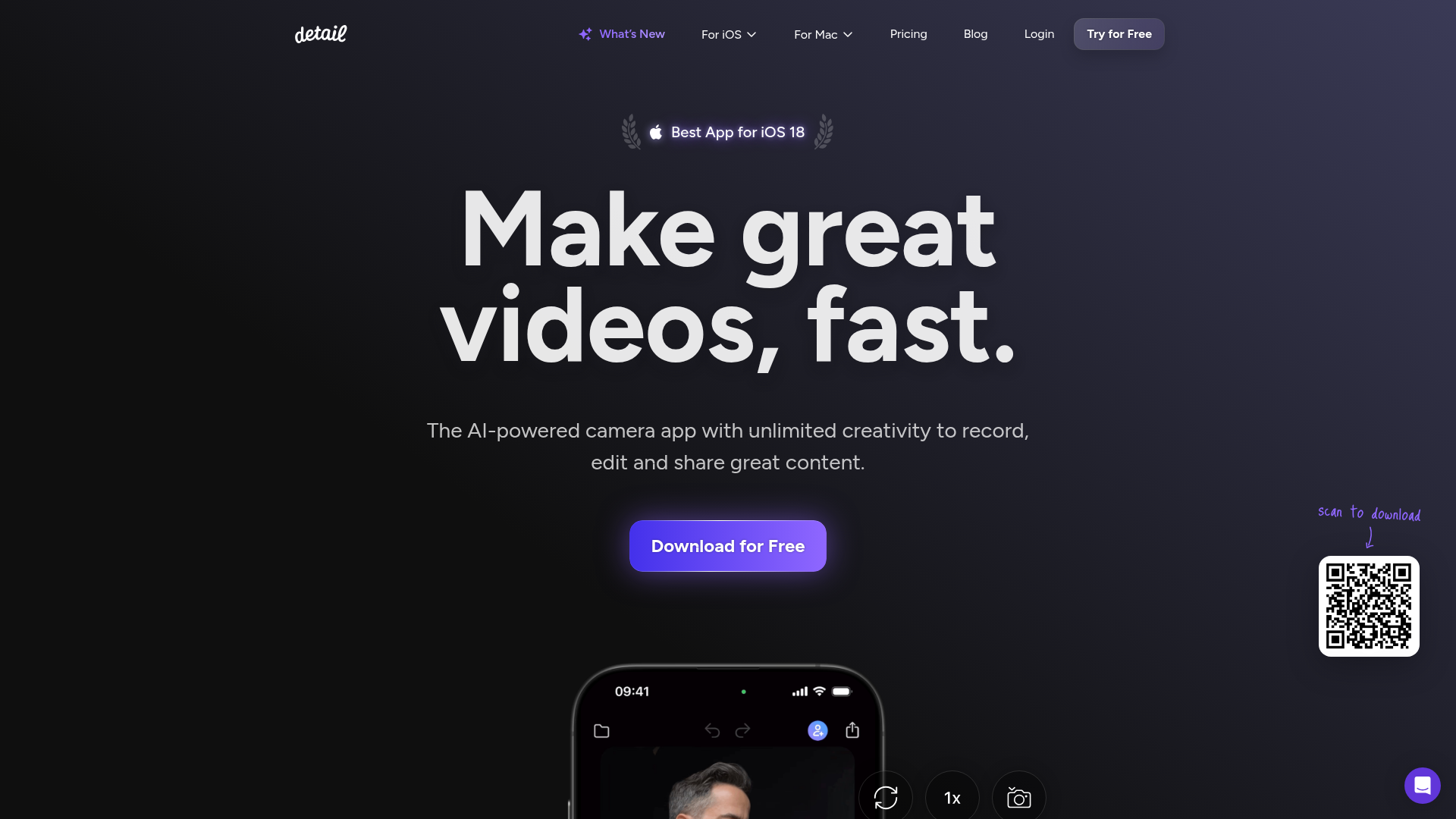
Detail combines powerful recording and editing capabilities all in one app. Here’s how it works:
- Import Videos: Simply paste the URL of any online video or select a saved video from your device.
- Record Reactions: Use your iPhone or iPad to capture your reactions in real-time.
- Edit Easily: Access a range of editing tools to enhance your video, including zoom cuts and layout changes.
- Auto Captions: Automatically generate captions for your videos in multiple styles.
- Multi-Camera Support: Connect multiple devices for different angles and perspectives.
- Dynamic Canvas: Adjust layouts and edit seamlessly, allowing for quick changes on-the-go.
Using Detail is simple and straightforward. Just follow these steps:
- Download the App: Get Detail from the App Store.
- Import a Video: Paste the URL of an online video or choose one from your device.
- Set Up Your Recording: Position your camera and adjust settings as needed.
- Start Recording: Hit the record button to capture your reactions.
- Edit Your Video: Use editing features to add captions, change layouts, and more.
- Share Your Creation: Export your video and share it on your favorite platforms.
In summary, Detail empowers creators to produce high-quality reaction videos with ease. With its user-friendly interface and robust features, you can focus on what matters most: your content. Whether you’re a seasoned creator or just starting, Detail simplifies the process of recording and editing, making it a must-have tool for anyone looking to engage their audience effectively.
Features
Instant Video Import
No more screen-recording. Simply import any online video by pasting the URL.
Unlimited Editing
Enjoy unlimited editing possibilities with our easy-to-use tools.
Automatic Captions
Generate captions automatically in multiple styles to enhance accessibility.
Multi-Camera Recording
Wirelessly connect multiple devices for varied angles and perspectives.
Dynamic Canvas
Change layouts, add zoom cuts, and replace videos quickly.
Easy Sharing Options
Share your videos across platforms like YouTube, TikTok, and more.
Use Cases
Reaction Videos
Record your reactions to trending videos instantly and share them with your followers.
Podcasting
Capture interviews or discussions with multiple guests using your iPhone or iPad.
Live Streaming
Stream live to platforms like Twitch or YouTube with multiple camera angles.
Educational Content
Create educational reaction videos to engage your students.
Vlogging
Record and edit travel vlogs, capturing your reactions on the go.
Social Media Clips
Easily create short clips for social media marketing campaigns.
FAQs
Traffic(2025-07)
Monthly Traffic
Traffic Source
Top Keywords
| Keyword | Traffic | Volume | CPC |
|---|---|---|---|
| how to do video recording podcast two people in person | 300 | - | |
| detail app | 220 | 370 | - |
| view iphone camere on ipad | 180 | 180 | - |
| do iphones have a built in green screen for shooting video | 160 | 170 | - |
| small corner in bedroom podcast backdrop idea | 130 | 140 | - |
Source Region
Whois
| Domain | detail.co |
| Creation Date | 2025-07-19 23:59:59 |
| Last Updated | 2024-07-29 01:47:51 |
| Domain Status | ok, //icann.org/epp |
| Registrar | Key-Systems GmbH |
| Registrar IANA ID | 269 |
| Registrar URL | https://key-systems.net |
| Registrant Organization | PAVE Holding B.V. |
| Registrant Country | NL |
Featured Products

BlurMe

Neural Frames

HypeAuditor

PromptHero

Happy Scribe

TopViewAI

Pictory

Animaker
Related Categories
Copy embed code
Alternative Products


TweetCloner


Toolbit AI


MMAudio

BlurMe

Neural Frames


Seedance AI


SafeMove

Magi-1

