


BlurMe - AI-powered instant photo and video blurring
Featured
UpdatedAt 2025-07-18AI Image to Video Tool
AI Animation Videos
AI Video Editor
BlurMe is a deep learning-powered online tool designed for fast and efficient blurring of sensitive content in photos and videos. It requires no software installation and works directly in your web browser. The platform supports batch processing, making it ideal for individual users, bloggers, video creators, and enterprises. BlurMe offers multiple blur effects, including blur, pixelation, and block effects, with adjustable intensity and size. Its AI technology automatically detects faces, license plates, heads, bodies, and vehicles for quick processing. Additionally, BlurMe provides enterprise-grade solutions for CCTV and surveillance video anonymization.

Product Overview
BlurMe is an AI-driven online tool that instantly blurs sensitive content such as faces and license plates in photos and videos. It operates entirely in the browser, eliminating the need for software installation. The platform supports batch processing and caters to individual users, content creators, and businesses.
Core Features
- AI Blurring: Automatically detects and blurs faces, license plates, heads, bodies, and vehicles.
- Batch Processing: Enables simultaneous upload and processing of multiple files.
- Customizable Effects: Offers blur, pixelation, and block effects with adjustable intensity and size.
- Cross-Platform Compatibility: Works seamlessly on both desktop and mobile devices.
Key Advantages
- Instant Processing: AI completes blurring tasks in seconds.
- No Installation Required: Fully web-based with no downloads needed.
- Enterprise Solutions: Specialized features for CCTV and surveillance footage anonymization.
Product Features
BlurMe provides the following functionalities:
AI Blurring Capabilities
- Face Blurring: Automatically detects and obscures faces in photos and videos.
- License Plate Blurring: Specifically designed for vehicle license plates.
- Head & Body Blurring: Extends blur coverage to heads and full bodies.
- Vehicle Blurring: Applies blur effects to entire vehicles.
Batch Processing
- Multi-File Upload: Supports uploading multiple files at once.
- Bulk Export: Allows exporting all processed files simultaneously.
Customization Options
- Blur Effect Selection: Choose between blur, pixelation, or block effects.
- Intensity Adjustment: Customize the strength of the blur effect.
- Size Control: Manually adjust the area covered by the blur.
Advanced Tracking
- Dynamic Blurring: Tracks moving subjects in videos for continuous blurring.
- Playback Controls: Modify blur effects during video playback.
Mobile Optimization
- Mobile Support: Upload and process files directly from mobile devices.
- Instant Sharing: Quickly share processed files after completion.
Enterprise Solutions
- CCTV Blurring: Tailored for security and surveillance footage.
- Cloud Storage: Secure cloud space for sensitive data.
- On-Premises Processing: Functions without internet for internal networks.
Technical Principles
BlurMe utilizes deep learning algorithms to automatically detect and blur sensitive content. Users upload files, AI identifies target areas, applies blur effects, and allows manual refinements before export.
Pricing Plans
BlurMe offers multiple subscription tiers:
| Plan | Monthly Cost | Annual Cost (40% Off) | Features & Limitations |
|---|---|---|---|
| Free | $0 | - | - Free trial with watermarked exports - Max file size: 1GB |
| Standard | $7 | $84 | - 700 images or 11 mins of video - No watermark - Max file size: 2GB |
| Pro | $26 | $312 | - 3,500 images or 58 mins of video - 4K support - Max file size: 5GB |
| Premium | $78 | $936 | - 14,000 images or 4 hours of video - Priority support - Max file size: 10GB |

How to Use
- Upload Files: Drag and drop photos/videos into BlurMe’s workspace.
- Select Targets: Use AI auto-detection or manually mark areas to blur.
- Adjust Effects: Choose blur type (blur/pixel/block) and fine-tune intensity/size.
- Export: Download processed files without watermarks (paid plans only).
Product Advantages
- No Installation: 100% web-based—works on any device with a browser.
- Lightning-Fast: AI processes content in seconds, not hours.
- Batch Processing: Blur hundreds of files in one click.
- Enterprise-Grade: Compliant solutions for CCTV and legal requirements.
Product Limitations
- Free Tier Restrictions: Exports include watermarks.
- Premium Features Locked: Advanced options (e.g., 4K, priority support) require paid plans.
Use Cases
- Individuals: Blur bystanders in social media photos for privacy.
- Content Creators: Quickly anonymize subjects in YouTube/vlog footage.
- Businesses: Redact sensitive data from surveillance videos for compliance.
Support & Services
BlurMe provides:
- Help Center: FAQs and step-by-step tutorials.
- Customer Support: Contact via the website for assistance.
- Learning Resources: Guides on maximizing tool capabilities.
Frequently Asked Questions
Traffic(2025-07)
Total Visit
218885
+7.20% from last month
Page Per Visit
1.85
+1.70% from last month
Time On Site
43.88
+11.13% from last month
Bounce Rate
0.43
+5.27% from last month
Global Rank
208504
2757 from last month
Country Rank(IN)
43927
18951 from last month
Monthly Traffic
Traffic Source
Top Keywords
| Keyword | Traffic | Volume | CPC |
|---|---|---|---|
| tinyzone | 680 | 383500 | 1.03 |
| bflix | 540 | 531120 | 1.52 |
| 9anime alternatives 2025 | 440 | 3950 | - |
| fmovies alternative | 400 | 67760 | 1.48 |
| bflix alternative | 350 | 7340 | 1.37 |
Source Region
Whois
| Domain | www.blur.me |
Featured Products
BlurMe
AI-powered instant photo and video blurring

Vogue AI
AI creative tools suite

Neural Frames
AI-powered music video generator

Happy Scribe
Transcribe and subtitle effortlessly with AI

TopViewAI
Create viral marketing videos effortlessly

Pictory
Effortlessly create stunning videos in minutes

Animaker
Create stunning animated videos in minutes

D-ID
Engage your audience with lifelike AI avatars that communicate
Related Categories
Copy embed code
How to use
Alternative Products


2K+0%
MMAudio
AI Short Video Generator
AI Video Enhancement
AI Video Generator
AI Audio Enhancer
AI Video Editor
AI Voice and Audio Editing Tool
AI Voice Synthesis
Featured

219K+7%
BlurMe
AI Image to Video Tool
AI Animation Videos
AI Video Editor
Featured

Vogue AI
AI Image to Video Tool
AI Anime and Cartoon Generator
AI Animation Videos
Featured

303K+32%
Neural Frames
AI Music Video Generator
AI Video Generator
AI Design Assistant
AI Creative Writing
AI Animation Videos


SafeMove
AI Personalized Video Generator
AI Short Video Generator
AI Animation Videos
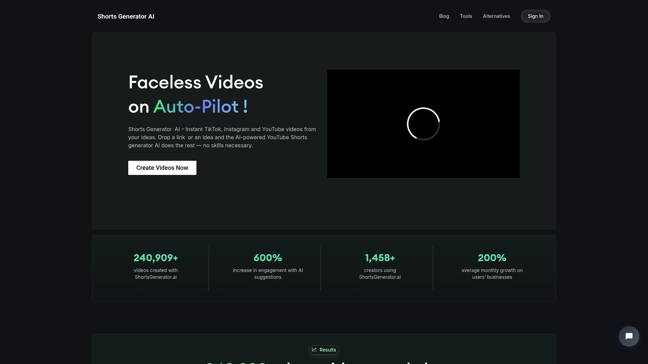

Shorts Generator AI
AI UGC Video Generator
AI Short Video Generator
AI Video Generator
AI Ad Generator
AI Content Generator
AI Video Editor


88K+25%
Xpression Camera
AI Video Search
AI Lip Sync Generator
AI Role-Playing Generator
AI Video Generator
AI Emoji Generator
AI Animation Videos
Featured

2M+2%
Happy Scribe
AI Translation
AI Subtitles or Titles
AI Text Summarization Tool
AI Content Generator
AI Video Editor
AI Voice to Text
AI Conference Software


Discover and compare your next favorite tools in our thoughtfully curated collection.
2024 Similarlabs. All rights reserved.
Collections
Designer Tools CollectionCategories
AI Data Analysis ToolAI Content GeneratorAI AssistantAI Social Media AssistantAI Image EditorAI Marketing Plan GeneratorAI Video GeneratorAI Education AssistantAI Writing AssistantExplore
Featured ProductsFree ProductsLatest ProductsDomain Update in 6 MonthsDomain Update in 1 YearTop Traffic ProductsTop Traffic Growth Productsllms.txt2024 Similarlabs. All rights reserved.